N8N AI on Google Cloud Platform
🎧
N8N AI on Google Cloud Platform Audio
Overview
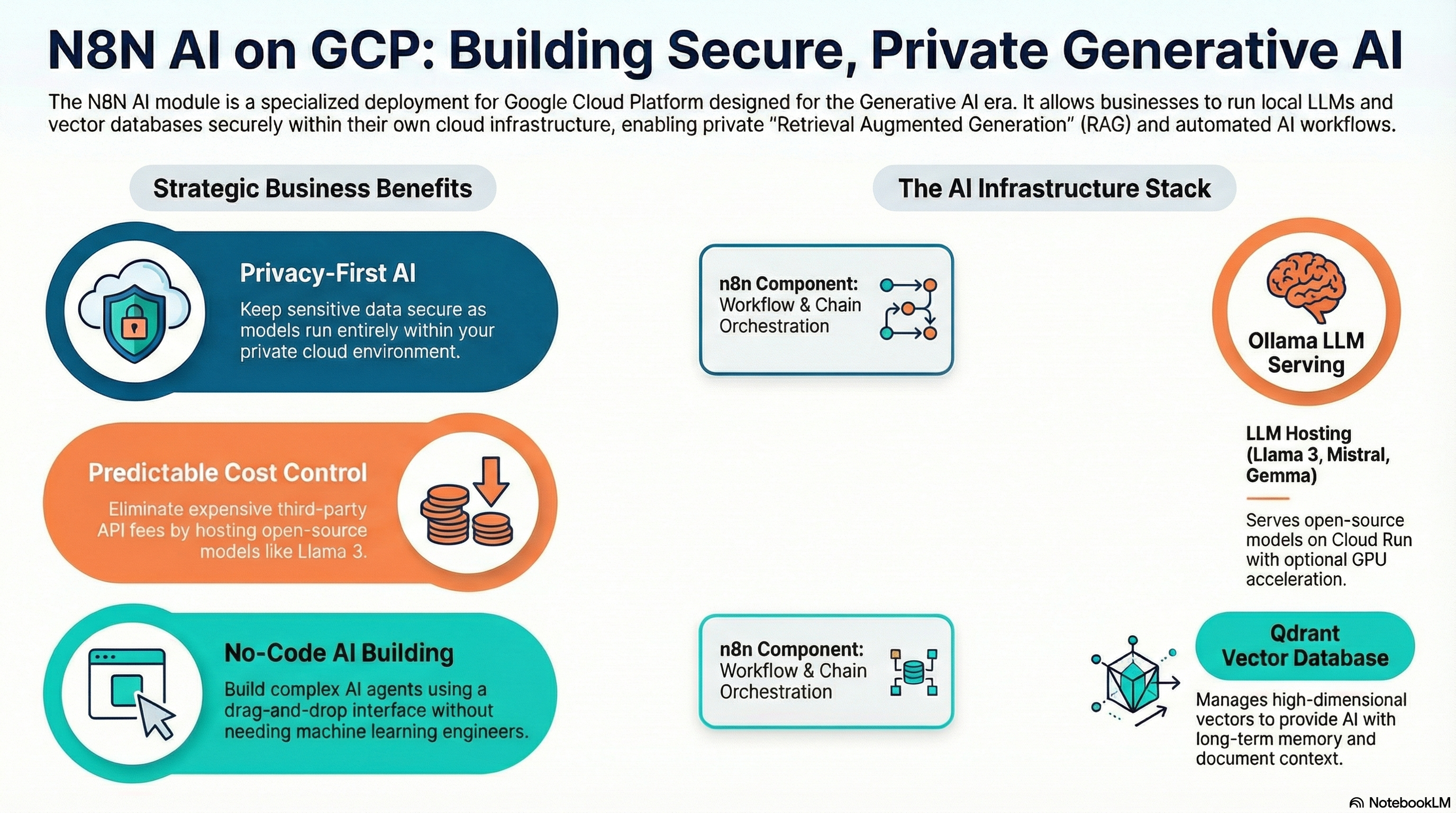
The N8N AI module is a supercharged version of the standard N8N deployment, pre-configured for the era of Generative AI. It allows your business to build intelligent agents, chat bots, and document analysis workflows using state-of-the-art Local LLMs and Vector Databases, all hosted securely in your own cloud environment.
Key Benefits
- Privacy First AI: Run Large Language Models (LLMs) like Llama 3 locally on your infrastructure. Your sensitive data never leaves your cloud project.
- RAG Ready: "Retrieval Augmented Generation" ready. Includes a Vector Database (Qdrant) to let your AI "read" and understand your company's documents.
- No-Code AI Building: Use n8n's drag-and-drop interface to build complex AI chains without needing a team of ML engineers.
- Cost Control: Avoid unpredictable API costs from public AI providers by running your own models.
Functionality
- Deploys n8n (Automation Engine).
- Deploys Qdrant (Vector Database) for storing AI memory and document embeddings.
- Deploys Ollama (LLM Server) to run open-source AI models.
- Connects all three components automatically so they work out of the box.
Architecture
This module extends the standard N8N architecture by adding two additional services: Qdrant and Ollama. These can be deployed as separate Cloud Run services or sidecars, depending on the specific implementation version, but typically they are distinct services communicating over the private VPC network.
Cloud Capabilities
Vector Database (Qdrant)
- Service: Deploys the Qdrant container.
- Storage: Uses persistence (volume or database backend) to store high-dimensional vectors.
- Integration: Automatically configured as a credential/node in n8n.
LLM Serving (Ollama)
- Service: Deploys Ollama on Cloud Run (often with GPU acceleration if configured/available, or CPU for smaller models).
- Model Management: The
ollama_modelvariable allows you to specify which model (e.g.,llama3.2) should be pulled and loaded upon startup. - Hardware: Technical users should pay attention to resource limits (
memory,cpu) as LLMs are resource-intensive.
Orchestration
- Networking: Uses internal VPC DNS or Service Connect to allow n8n to talk to Qdrant and Ollama with low latency and without public internet exposure.
Configuration & Enhancement
- Model Swapping: Change the
ollama_modelvariable to switch between different open-source models (e.g., Mistral, Gemma) without redeploying infrastructure. - Feature Toggles: Variables like
enable_qdrantandenable_ollamaallow you to turn off specific AI components if you only need a partial stack (e.g., using OpenAI API instead of local Ollama).